
How CCTV Installation Companies Can Manage Technicians, Service Calls and AMC Contracts Without WhatsApp and Excel
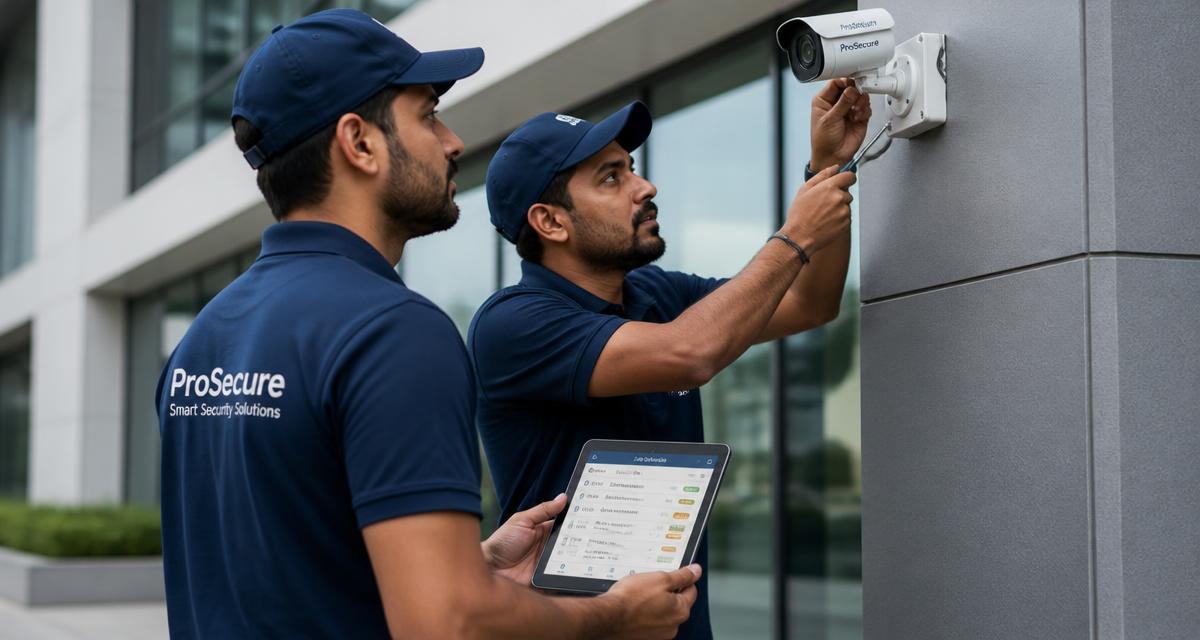
CCTV installation companies run on WhatsApp groups and Excel sheets until the job count grows. Here is a practical system for managing technicians, service calls, warranty claims and AMC renewals without losing money.
A CCTV business is deceptively simple in year one. Two technicians, twenty installations a month, a WhatsApp group for job allocation and one Excel sheet with customer names. It works.
Then you cross a hundred active sites. Cameras go offline on a Saturday. A client insists their AMC covers a failed hard disk. A technician says he visited yesterday; the customer says nobody came. Two DVRs are sitting in someone's car boot with no record of where they came from. Nothing has gone catastrophically wrong — the business has simply outgrown the tools running it.
This guide lays out how a growing CCTV installation and surveillance company in India can manage technicians, service calls, warranty claims and AMC contracts properly, and what to look for in software before you buy anything.
Why WhatsApp and Excel break down for CCTV companies
WhatsApp is a chat tool, not a work system. Excel is a calculator, not a scheduler. Neither knows what a job is. Specific failures show up in the same order in almost every surveillance business:
- **Jobs disappear into the scroll.** A complaint sent at 9 PM sits between a meme and a payment screenshot. Nobody owns it, so nobody closes it.
- **Nobody can prove the visit.** Without a timestamped, geo-tagged job card, a service visit is one person's word against another's — which matters when a client withholds payment.
- **AMC renewals slip silently.** A contract signed in March renews in March. There is no reminder inside a spreadsheet, so it gets remembered in June, after the customer has already called a competitor.
- **Warranty windows are guesswork.** Which camera, at which site, was installed on which date, with which serial number? If that lives in an invoice PDF, your technician cannot see it while standing on a ladder.
- **Material moves without a record.** Cameras, DVRs, NVRs, PoE switches, BNC connectors and cable rolls leave the store and are reconciled from memory.
- **Reporting is a weekend job.** Counting jobs per technician, revenue per client and open complaints costs someone half a Sunday.
None of these are technician problems. They are record-keeping problems.
The five records a CCTV business actually needs
Before choosing software, be clear on the objects a surveillance business runs on. Almost every operational headache traces back to one of these five records being missing or unreliable.
| Record | What it must hold | What it prevents | | --- | --- | --- | | Customer site | Address, contact, floor plan notes, gate pass rules, access timings | Wasted trips and repeat "where is the site?" calls | | Installed asset | Camera and recorder make, model, serial number, install date, warranty end | Warranty disputes and wrong spare parts on site | | Job card | Complaint, assigned technician, scheduled slot, work done, parts used, photos, customer signature | "Nobody came" disputes and unbilled work | | AMC contract | Start and end date, coverage scope, number of preventive visits, exclusions, contract value | Free work outside scope and missed renewals | | Invoice | Linked to the job or contract, GST-compliant, payment status | Revenue leakage and follow-up chaos |
If a tool cannot hold all five and link them to each other, it will only shift the mess somewhere else.
Step 1: Put every service call in one queue
Every complaint — phone call, WhatsApp message, email or walk-in — should become a ticket in one place with a customer, a site, a priority and an owner. The value is not the ticket; it is that an unassigned ticket is visible.
Practical rules that work well for surveillance teams:
1. **Classify by impact, not by mood.** A single camera offline in a warehouse corner is not the same as an entire recorder down at a bank branch. Two or three priority levels are enough. 2. **Set a response promise per priority.** For example: critical within 4 working hours, standard within 24 hours. This is your internal SLA even if the client contract does not mention one. 3. **Attempt remote diagnosis first.** A large share of CCTV complaints are power, network or app-login issues. A five-minute video call can save a two-hour trip across the city. 4. **Give the customer a status, not a promise.** "Technician assigned, arriving between 2 and 4 PM" ends the follow-up calls that eat your day.
Step 2: Schedule technicians around travel, not just time
Surveillance work is geography-heavy. A technician who finishes in one part of the city and is then sent to the opposite end has lost the afternoon. Cluster jobs by area for the same technician on the same day, and keep a buffer slot for emergency breakdowns instead of packing the calendar to 100%.
Also plan around the reality of the work: a new eight-camera installation needs a full day and a helper; a lens realignment needs thirty minutes. Scheduling that treats every job as one slot will always run late.
Step 3: Make the job card the single source of truth
A digital job card is what turns a visit into a billable, provable event. For CCTV work it should capture, from the technician's phone:
- Check-in and check-out with time and location
- The fault found versus the fault reported
- Serial numbers of any camera, DVR, NVR, hard disk or PoE switch replaced
- Photographs before and after — camera angle, cabling, rack condition
- Whether the work is chargeable, under warranty or covered by AMC
- Customer signature or OTP confirmation on the spot
That last line is the one that protects your cash flow. A signed digital job card attached to an invoice ends most billing arguments before they start. Our [job card software guide](/blog/job-card-software-digital-work-orders) goes deeper into designing work orders that technicians actually fill in.
Step 4: Treat AMC as a product, not a favour
For a CCTV company, AMC is the difference between chasing new installations forever and owning predictable monthly revenue. It only works if the contract is written and tracked precisely.
Define in every contract:
- **Coverage scope.** Does it include preventive visits only, or breakdown visits too? Are hard disks, power supplies and cables covered, or excluded as consumables?
- **Visit count.** Quarterly preventive maintenance for a 32-camera site is four scheduled visits a year — put them in the calendar the day the contract is signed, not when the customer complains.
- **Response time.** State it, so you can be measured on something you agreed to rather than something assumed.
- **Exclusions.** Physical damage, theft, lightning, rodent-cut cabling and civil work are common exclusions. Undocumented exclusions become free work.
- **Renewal date with a reminder chain.** Sixty days out, thirty days out, seven days out. Renewals lost are almost never lost on price; they are lost on silence.
A preventive visit checklist for a surveillance site typically covers camera cleaning and focus, housing and mount integrity, cable and connector inspection, recorder health and fan condition, hard disk health and recording-days verification, backup and remote-viewing test, and a UPS or power check. Standardise it once and every technician performs the same visit. For contract-level detail, see the [AMC management guide](/blog/amc-management-software-india).
Step 5: Track stock at the technician, not just the store
Cameras and recorders are expensive and small. The workable model is simple: the store issues material to a technician against a job, and the job card records what was consumed at the site. Anything not consumed returns to the store. Once serial numbers are captured on the job card, you also gain something valuable — the ability to answer "when was this camera installed and is it still in warranty?" in seconds.
Step 6: Measure six numbers, weekly
Reports are only useful if a decision follows. Six numbers are enough for most CCTV companies:
1. Open complaints older than the promised response time 2. Jobs completed per technician per week 3. First-visit resolution rate — the share of complaints closed without a return trip 4. Repeat complaints per site in 30 days, which usually points to a bad installation rather than a bad camera 5. AMC contracts expiring in the next 60 days 6. Invoiced but unpaid amount, by age
Track these weekly and staffing, pricing and training decisions become obvious.
What to look for in field service software for a CCTV business
Generic ticketing tools miss the parts that matter to surveillance work. When evaluating any field service management software, check that it handles:
- Multiple sites under one customer, since a retail chain or a builder is one client with many locations
- Asset history per site, with serial numbers and warranty dates
- Mobile job cards with photos and offline capture — basements and terraces have poor signal
- AMC contracts with preventive visit schedules and renewal alerts
- GST-compliant invoicing linked to the job or contract
- Technician check-in with location, so attendance and travel are provable
- Unlimited technicians on the plan, so growth is not punished
FieldNexa was built for exactly this pattern of work in Indian service businesses. You can compare capabilities on the [features page](/features) or see plan pricing on the [pricing page](/pricing).
A realistic rollout plan
Do not digitise everything at once. Teams abandon systems that arrive as homework.
- **Week 1:** Load customers, sites and active AMC contracts. Nothing else.
- **Week 2:** Route every complaint through the system. Keep the WhatsApp group open for chat, but the ticket is the record.
- **Week 3:** Switch technicians to digital job cards with photos and customer sign-off. Expect resistance for about ten days.
- **Week 4:** Turn on renewal reminders and preventive visit schedules, and start reviewing the six numbers weekly.
By the end of a month you have something a spreadsheet can never give you: a searchable history of every site, every camera and every visit.
Frequently asked questions
**Is this only for large CCTV companies?** No. The break-even point is usually around three technicians or fifty active sites. Below that, discipline can compensate for tools. Above it, the manual system quietly starts costing money.
**Can technicians use it without training?** The job card should look like a form with a camera button. If a technician needs a training session to close a job, the tool is wrong for field work.
**What if a site has no mobile signal?** Job cards must be fillable offline and sync when signal returns. Basement parking and industrial sheds make this non-negotiable for surveillance work.
**Does it handle GST invoicing?** Yes — invoices should be generated from the completed job or the AMC contract with correct GST treatment, so billing does not require re-entering the same details in another tool.
Next step
If your CCTV business is running on a WhatsApp group and a spreadsheet, start with the two records that leak the most money: job cards and AMC renewals. Fix those and the rest of the operation gets easier on its own.
Want to see how it works for your setup? [Book a demo](/contact) and we will walk through a real surveillance workflow — installation, breakdown call, warranty claim and AMC renewal — end to end.